Getting Started
First login, password setup, and dashboard orientation for the Exaviz Management Platform
2 minute read
Exaviz Management 1.0 is available now, free for Cruiser and Interceptor boards. Install it from the signed Exaviz apt repository: see Getting Started. Questions: support@exaviz.com.
To see it running before you set up a board, open the live demo.
The Exaviz Management Platform is a browser-based dashboard for managing your PoE ports, monitoring system health, and controlling multiple boards from one interface. It runs directly on the board and is accessible from any device on your network.
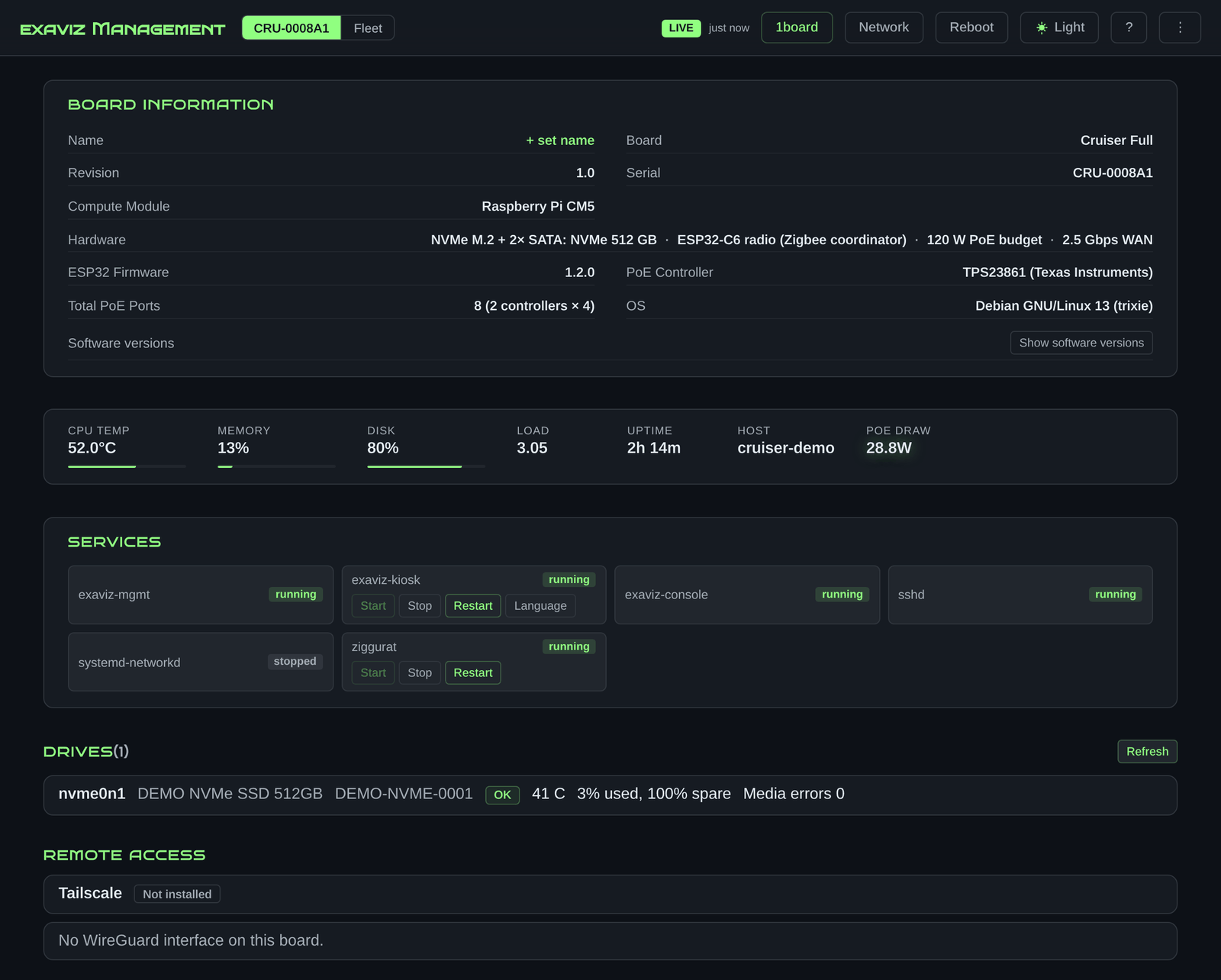
The Cruiser overview in the live demo: board information, health, services, drives and remote access status.
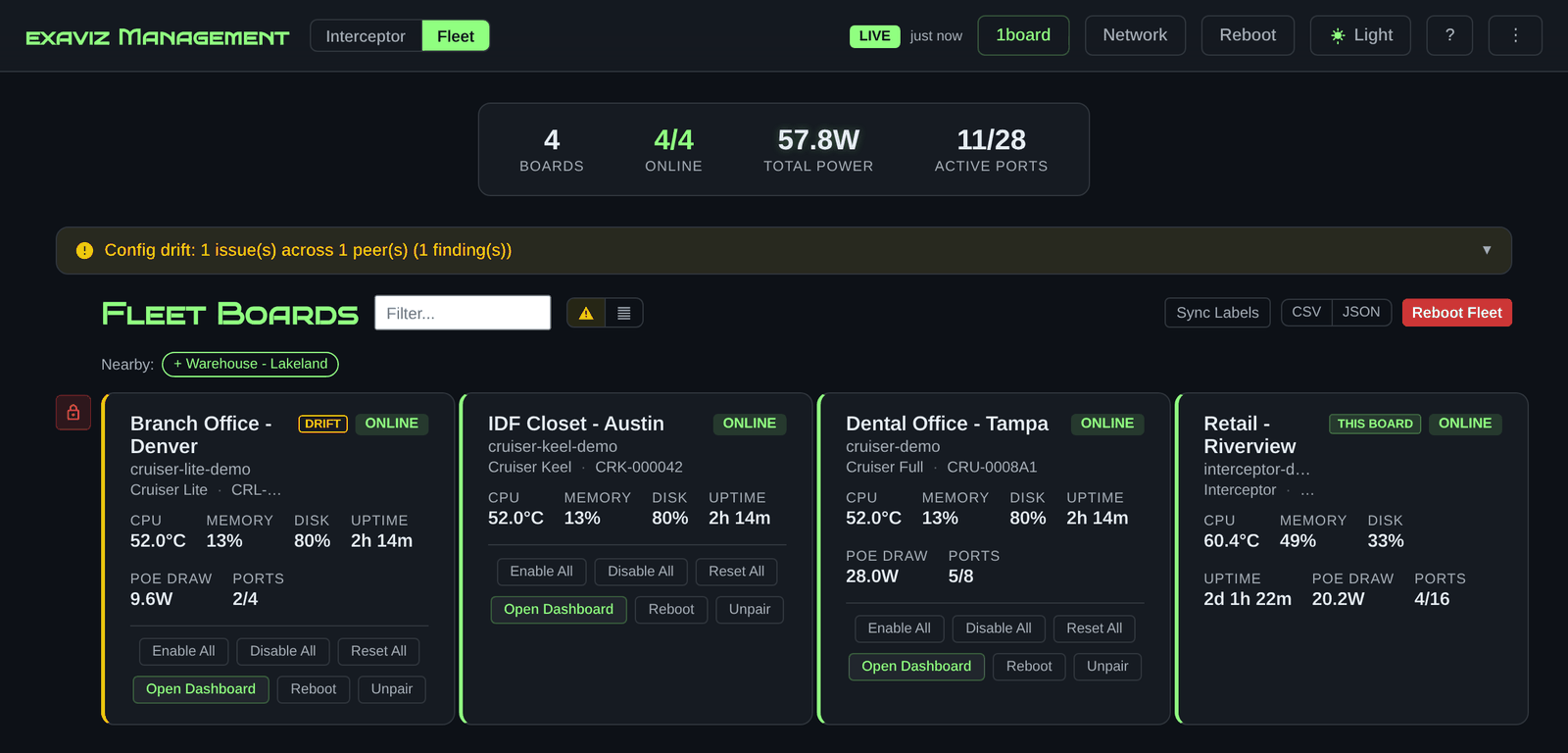
Four paired boards in one fleet view, with a config drift notice.
| Board | PoE Ports | Management Platform |
|---|---|---|
| Cruiser | 8 | Free (apt install) |
| Cruiser Lite | 4 | Free (apt install) |
| Cruiser Keel | 0 (4 switch ports) | Free (apt install) |
| Interceptor | Up to 16 | Free (apt install) |
The dashboard automatically detects your board type and adapts the interface to show the correct features.
Open a web browser and navigate to your board’s IP address:
https://10.0.1.41
The dashboard uses HTTPS by default with a self-signed certificate. Your browser may show a security warning on first visit. This is normal for self-signed certificates and can be safely accepted.
First login, password setup, and dashboard orientation. Get Started →
Monitor, control, and organize your PoE ports with labels and groups. Manage Ports →
CPU temperature, memory, uptime, and network switch port monitoring. View Health →
Configure thresholds and get notified when something needs attention. Configure Alerts →
Configure interfaces, DHCP or static IP, DNS, and the protected-uplink auto-rollback. Configure Network →
Discover, pair, and manage multiple boards from a single dashboard. Manage Fleet →
Password management, TLS certificates, and audit logging. View Security →
Reach the dashboard from away with Tailscale or WireGuard. ZeroTier and Cloudflare Tunnel are covered as unsupported third-party options. Set Up Remote Access →
Export and restore your board's configuration. Backup Guide →
Prometheus metrics, Storage, HDMI kiosk mode, and more. Advanced →
If you run into issues, check the Troubleshooting page or contact us at info@exaviz.com.
First login, password setup, and dashboard orientation for the Exaviz Management Platform
Monitor, control, and organize PoE ports with the Exaviz Management Platform
CPU temperature, memory, uptime, and network switch port monitoring
View and configure network interfaces - DHCP, static IP, DNS, and the protected-uplink auto-rollback
What raises an alert, how to resolve alerts, and how to send them to email or a webhook
Discover, pair, and manage multiple Exaviz boards from a single dashboard
Password management, TLS certificates, and audit logging
Reach the dashboard from away without port forwarding
Export and restore your Exaviz board configuration
Prometheus metrics, Storage, HDMI kiosk mode, and real-time events
Common issues and solutions for the Exaviz Management Platform
The dashboard’s built-in Help, as one page
Last modified October 18, 2026